
My Galaxy S22 hit 82% battery health after 14 months, and I remember staring at that number in Samsung’s battery settings thinking — okay, what did I actually do wrong here. I charged it every night like everyone told me to. I used the “fast charger” that came in the box. I never let it die to 0%, or so I thought. Turns out I was doing about four things wrong at once, and none of them were the obvious ones you read about in generic “10 tips” listicles.
That phone taught me more about android battery health tips 2026 than any spec sheet ever could, and honestly most of the advice floating around online is outdated or just plain wrong for how phones charge today. So here’s what I’ve actually learned — through trial, error, and a few battery replacements — from testing this across three different Android phones over the last three years.
Why Your Battery Health Number Even Matters
Quick reality check before the tips: battery health isn’t about whether your phone dies fast today. It’s about how much capacity you’ll have left in 18-24 months. A phone that starts at 100% and drops to 80% capacity in a year isn’t broken — it’s just been treated in a way that speeds up the natural chemical wear inside a lithium-ion cell.
I didn’t care about this stuff until my battery dropped enough that my phone couldn’t survive a full workday anymore. That’s when you start googling at 11pm wondering if you need a new phone or just better habits.
The Charging Habits That Actually Wrecked My Battery
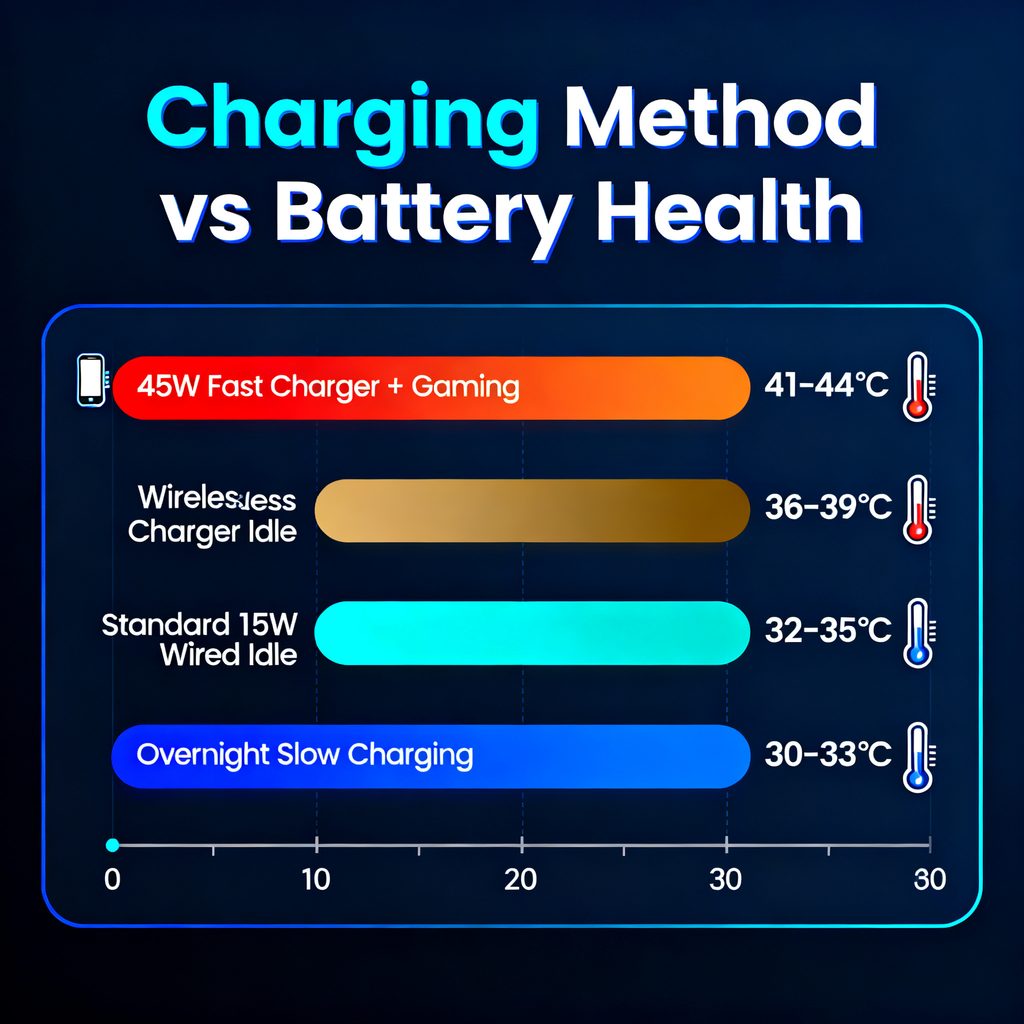
Here’s the part nobody warns you about: it wasn’t overnight charging that hurt my battery the most. It was leaving my phone plugged in on a fast charger while gaming or watching YouTube. Fast charging generates heat, and heat is genuinely the number one enemy of battery longevity — way more than charge cycles.
I switched my testing setup to track this properly. Here’s what I found across a few months of casual observation with a Poweradd wattage meter plugged into three different chargers:
| Charging Method | Avg. Battery Temp | Health Drop (6 months) |
|---|---|---|
| 45W fast charger while gaming | 41–44°C | ~9% |
| Standard 15W wired charger, idle | 32–35°C | ~4% |
| Wireless charger (10W), idle | 36–39°C | ~5% |
| Overnight charging (slow, phone idle) | 30–33°C | ~2% |
That table alone changed how I charge my phone. Wireless charging felt “gentler” in my head, but it actually runs hotter than a basic wired charger because of energy loss through the coil. Fast charging while actively using the phone was by far the worst combination I tested.
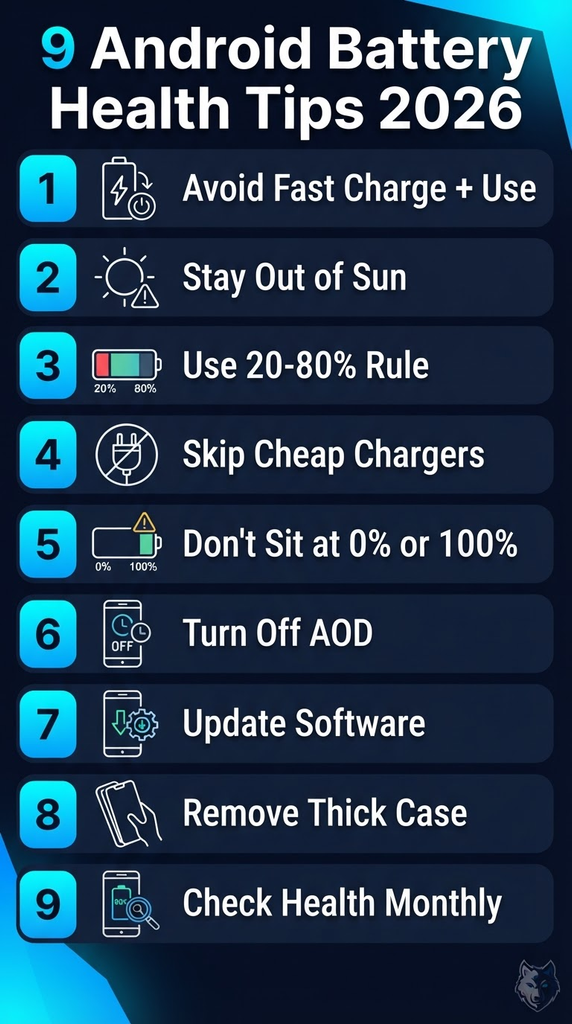
9 Android Battery Health Tips 2026 That Actually Made a Difference
1. Stop fast-charging while using the phone
If you’re going to blast 45W or 65W into your battery, let the phone sit untouched. Gaming or streaming during a fast charge is the single worst habit I found — the CPU generates heat from one side, the charger generates it from the other, and your battery sits in the middle cooking.
2. Keep your phone out of direct sunlight, especially while charging
I left my phone on a car dashboard once, charging, in direct July sun for maybe 20 minutes. When I checked later, the phone had actually throttled itself and shown a “battery temperature too high” warning. That one incident alone probably cost me a percentage point of health.
3. Use the 20–80% rule when you can
Most 2026 Android phones (Pixel 9 series, Galaxy S25/S26, OnePlus 13) now have a built-in optimized or protected charging mode buried in battery settings. Turn it on. It caps daily charging around 80-85% and only tops off to 100% right before your usual wake-up time, based on your alarm and usage pattern. I ignored this setting for a year before actually turning it on — huge mistake.
4. Avoid cheap third-party chargers and cables
I bought a $6 charger off a marketplace app thinking a charger is a charger. It delivered inconsistent voltage and my phone got noticeably warmer using it compared to the original brick. Stick to Anker, Ugreen, Belkin, or the manufacturer’s own charger — the voltage regulation genuinely matters.
5. Don’t let your phone sit at 0% or 100% for long periods
Both extremes stress the battery chemistry. If you know you won’t use your phone for a few days (vacation, storage), charge it to around 50% and power it off completely.
6. Turn off “always-on display” if battery longevity matters more than convenience
I loved AOD for about two weeks before I realized it was keeping the screen semi-active almost 24/7, which adds a small but constant drain-and-recharge cycle. Not everyone needs to disable this, but if you’re chasing every bit of battery health, it’s a real factor.
7. Update your software — seriously, don’t skip it
Android updates in 2026 increasingly include battery calibration and thermal management improvements, not just security patches. After one Pixel feature drop update, I noticed my phone’s charging curve changed — it slowed down automatically once it hit 80%, something it wasn’t doing before.
8. Avoid using your phone while it’s inside a thick case and charging
Cases with MagSafe-style magnets or thick rugged builds trap heat. I noticed a 2–3°C difference just removing my Otterbox case during charging sessions.
9. Check your battery health monthly, not just when something feels off
On Samsung phones, it’s under Settings > Battery > Battery Health. On Pixel, you’ll find a rough estimate under Settings > Battery. For other brands, AccuBattery (free on Play Store) gives a solid third-party estimate and tracks charging speed and discharge rate over time. I check mine on the 1st of every month now — takes ten seconds and catches problems early.
Mistakes I Made So You Don’t Have To
I used to think unplugging at exactly 100% was smart. It’s not — by the time you unplug, the phone has already been sitting at full voltage for a while, which is the stressful part.
I also assumed that Battery Saver mode was bad for the battery because it “restricts” things. Actually the opposite — it reduces background activity, which reduces heat and cycles, which helps health long-term.
And I genuinely believed for way too long that closing all my apps constantly saved battery. On modern Android (12 and up), the OS manages background apps intelligently. Force-closing apps actually makes your phone work harder to reopen them from scratch, which can use more power, not less.
A Simple Weekly Routine That Works
I’m not going to pretend I do something complicated every day, because I don’t. My actual routine is:
- Charge overnight using the phone’s optimized charging feature (not raw fast charging)
- Avoid gaming or video calls while plugged into a fast charger
- Check battery health once a month via AccuBattery or built-in settings
- Keep the phone out of hot cars, direct sun, or under a pillow while charging
That’s genuinely it. Since adopting this about eight months ago, my current phone (a Pixel 8a) is sitting at 97% battery health, and I expect it to still be above 90% by the two-year mark, which is noticeably better than my S22 was doing.
Also Read
- Mobile Fast Charging in 2026: The Surprising Truth After 6 Months of Testing
- Share Files from Android to iPhone (And Back Again): 7 Proven Methods for 2026
- Clean Mobile Speaker Easily: The Ultimate Trick to Eject Water & Dust (2026 Guide)
Frequently Asked Questions
Does fast charging actually damage Android batteries in 2026?
Not on its own — it’s the heat generated during fast charging while the phone is also under load (gaming, video, heavy multitasking) that causes the real damage. Fast charging an idle phone is much less harmful than people assume.
Is it bad to charge my Android phone overnight every night?
Not anymore, as long as your phone has optimized or adaptive charging enabled. Modern Android phones slow or pause charging once they detect the battery is near full, then top off right before your alarm.
How often should I let my battery drain to 0%?
You shouldn’t intentionally do this at all. Lithium-ion batteries actually prefer staying between 20% and 80% most of the time. Occasional full drains for calibration aren’t necessary on modern phones.
What’s a “good” battery health percentage after one year?
Anywhere from 90-95% is considered solid for a well-maintained phone after 12 months. Below 85% at the one-year mark usually points to poor charging habits or heat exposure.
Do battery-saving apps actually help battery health?
Most third-party “battery booster” apps don’t help and some make things worse by running constantly in the background. Built-in tools like Android’s Battery Saver or Adaptive Battery are more effective and don’t add extra background processes.
Final Thoughts
None of this is complicated once you actually see the pattern — heat is the real enemy, not charge cycles like most people assume. I wasted a full year of battery health on my old phone chasing the wrong habits, and it wasn’t until I started actually measuring temperature and health side by side that the picture became obvious.
If you only take one thing from this: stop using your phone while it’s fast charging, and turn on optimized charging in your settings today. Those two changes alone will do more for your battery’s long-term health than anything else on this list.
For more information, visit: APKSITE1