I remember the exact moment I realized my video editing software was holding me back. I had just filmed a 10-minute product review — decent lighting, decent audio — and I sat down to edit it on a trial version of Premiere Pro. Three days left before it expired. I scrambled through half the edit, exported a blurry mess, and uploaded it anyway. Not great.
What I didn’t know at the time was that some of the best free video editing apps available right now are genuinely better than the paid tools I was struggling with. No, seriously. I’ve since tested nearly a dozen of them across my laptop, my Android phone, and a mate’s MacBook. Some surprised me. Some frustrated me. One I still use every single week.
Whether you’re a content creator in Manchester posting to TikTok, or a small business owner in Texas putting together promo clips for Instagram — this guide is written for you.
What to Actually Look for in a Free Video Editing App
Before you download the first thing you see in the app store, here’s what actually matters — stuff I learned after wasting two hours on an editor that crashed every time I added a second audio track.
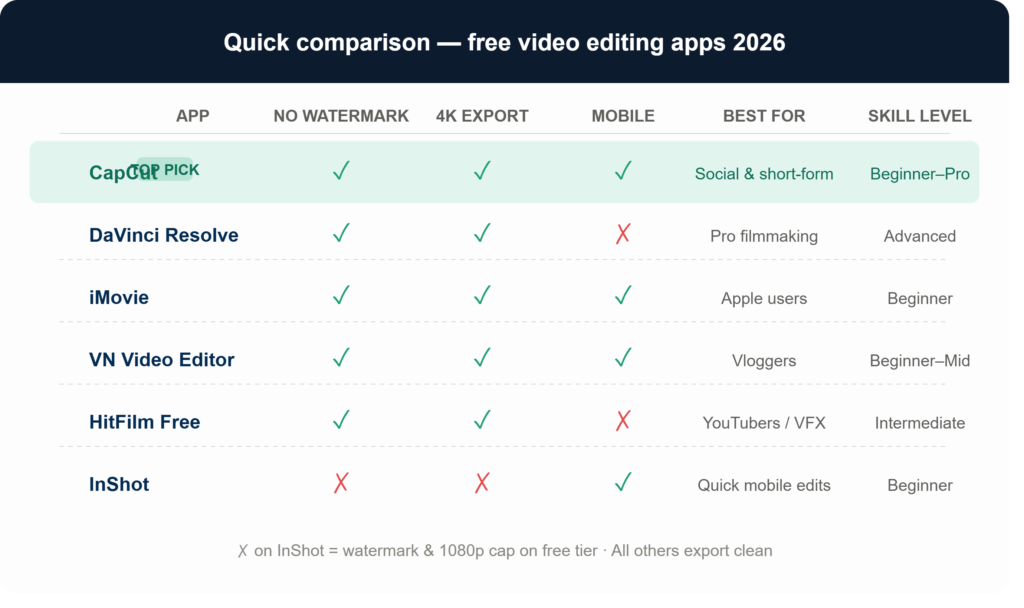
Watermarks. Some “free” editors slap their logo all over your finished video. If you’re publishing anything professionally, that’s a dealbreaker. Always check before you start editing.
Export quality. A free app that caps you at 480p in 2026 is basically useless. Look for at least 1080p export — 4K is even better.
Timeline editing vs. basic trimming. There’s a big difference between an app that lets you trim clips and one that gives you a proper multi-track timeline. Know what you need before committing.
Learning curve. If you’re brand new to editing, a professional-grade tool will feel like you’ve been handed a spaceship cockpit. Sometimes simpler is genuinely better.
Device compatibility. Not all desktop apps have mobile versions, and vice versa. If you shoot on your phone, you probably want an app that lives there too.
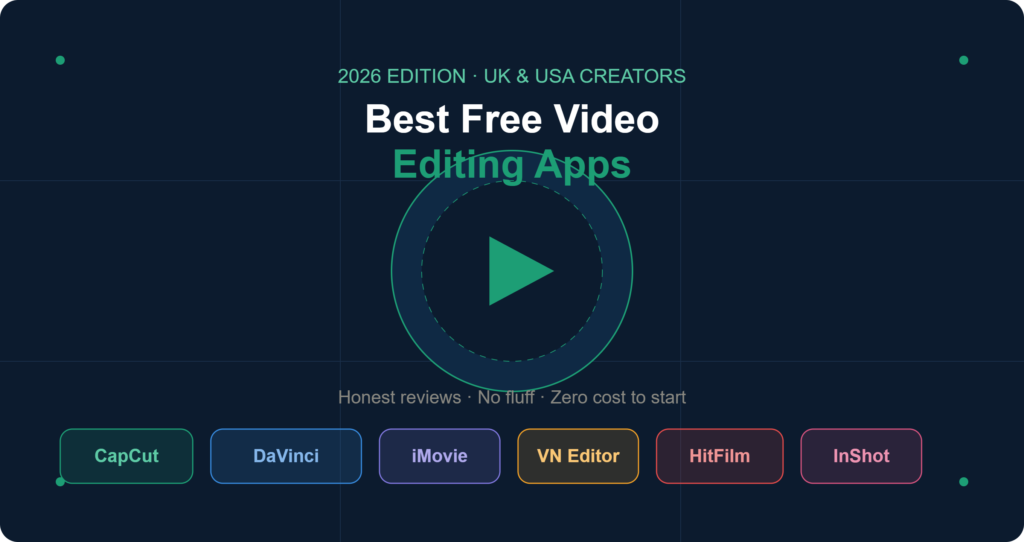
CapCut — The One I Keep Coming Back To
Best free video editing app for: TikTok, YouTube Shorts, Reels, everyday creators
Platforms: Android, iOS, Windows, macOS, Web
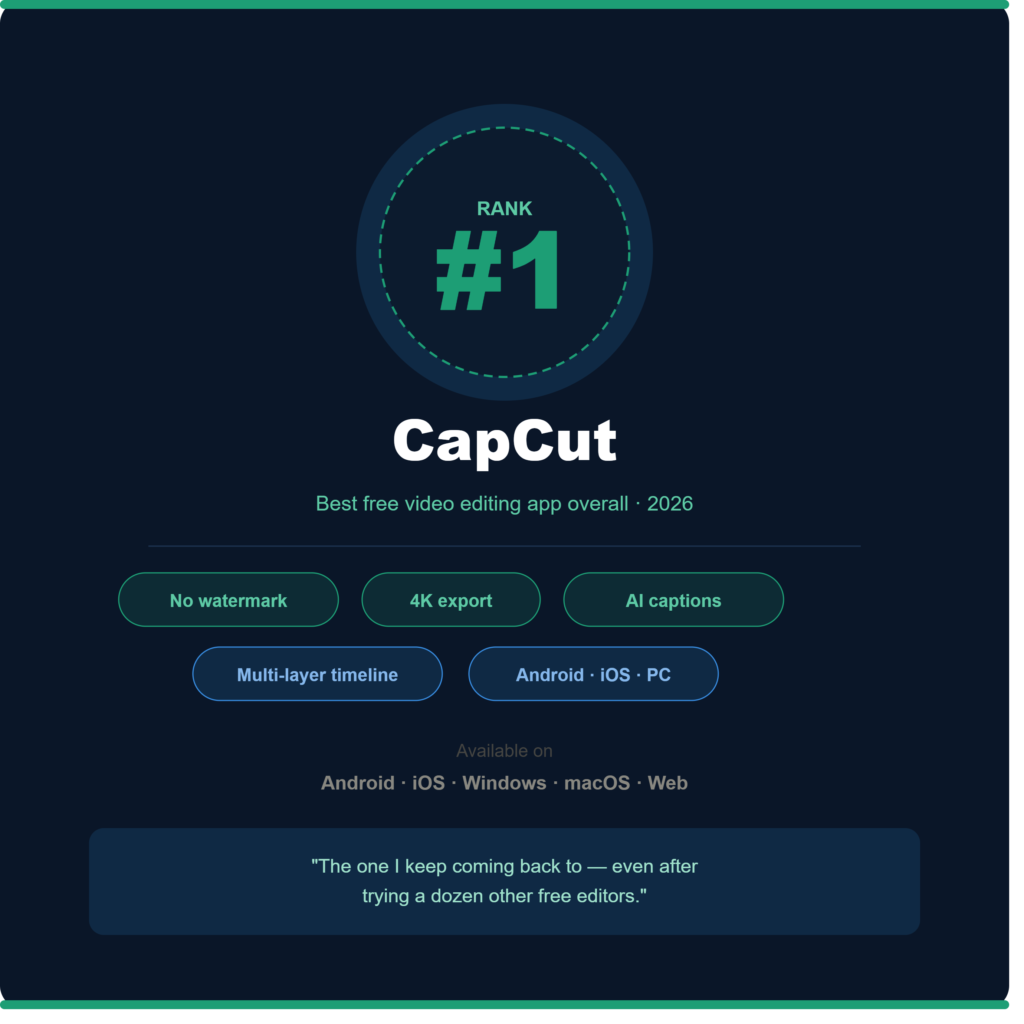
Honestly, CapCut caught me off guard. I expected it to be a gimmicky TikTok tool with a bunch of cheesy filters and not much substance. What I found instead was probably the most complete best free video editing app experience I’ve had — and I’ve tried a lot.
The auto-caption feature alone is worth downloading it for. It transcribed a 6-minute video in about 40 seconds, with roughly 95% accuracy on a British accent (which, as anyone who’s used voice recognition knows, is better than expected). You can adjust font, size, colour, and position — all without paying anything.
What I use it for: Cutting down long podcast clips into short-form social content. It handles the transcription, the trim, the captions, and the export in one flow.
The catch? CapCut is owned by ByteDance, which has faced regulatory scrutiny in both the UK and USA. For most personal creators, this won’t matter. But if you’re editing sensitive business content, keep that in mind.
No watermark. No export limit. Multi-layer timeline. It’s hard to find a reason not to start here.
DaVinci Resolve — Surprisingly Free, Shockingly Powerful
Best free video editing app for: Serious creators, colour grading, filmmakers
Platforms: Windows, macOS, Linux
When I first heard that DaVinci Resolve was free, I assumed there’d be a catch — some crippled feature set, or “free” meaning 7 days. There isn’t. The free version is genuinely powerful.
Colour grading in Resolve is at a level that most paid tools don’t match. I’ve seen YouTube channels with millions of subscribers using Resolve because there’s simply no better free alternative for the colour work. Hollywood productions have used it. That’s not marketing fluff — it’s just what it is.
The honest downside: it’s a lot to learn. I spent a weekend just figuring out the node-based colour panel before getting anything usable out of it. If you’re a beginner, this might not be where you start. But if you’re willing to invest the time, you’ll have a tool that genuinely grows with you.
Your computer also needs to be reasonably capable. I tried it on an older Windows laptop with integrated graphics — it ran, but sluggishly. On a more recent machine, it’s a different experience entirely.
No watermark. 4K export. Professional audio tools. If you’re serious about editing, Resolve is worth the learning curve.
iMovie — Still Solid if You’re on Apple
Best free video editing app for: iPhone, iPad, Mac users; beginners and casual creators
Platforms: macOS, iOS only
iMovie doesn’t get talked about much anymore, which is a shame. For anyone sitting on an Apple device, it’s already installed and it’s genuinely capable.
I used iMovie to put together a short travel video last year — about 4 minutes of footage from Scotland — and the whole thing came together in an afternoon. The drag-and-drop interface is intuitive, the templates look clean, and the export quality is sharp.
What it lacks: real multi-track audio control, advanced colour grading, and anything resembling VFX. It’s a tool built for clean, simple storytelling — not cinematic production. But for a lot of people, that’s exactly what they need.
Worth noting: iMovie is genuinely seamless if you shoot on your iPhone and edit on your Mac. AirDrop the clips across, and you’re editing in minutes. That workflow alone makes it worth using for Apple users.
VN Video Editor — The Hidden Gem Most People Miss
Best free video editing app for: Beginners who want room to grow, vloggers, mobile-first creators
Platforms: Android, iOS, Windows, macOS
VN (short for VideoNova) doesn’t have the brand recognition of CapCut or the reputation of DaVinci Resolve. But I’ve recommended it to more first-time editors than any other app on this list, because it strikes the right balance.
You get a real timeline. You get keyframe controls. You get 4K export. You get speed ramping — a feature usually locked behind paid tools. And you get all of it without a watermark.
The interface sits somewhere between iMovie’s simplicity and Resolve’s complexity, which makes it a great “next step” app if you’ve outgrown basic trimming tools but aren’t ready to jump into professional software.
One creator I know in Leeds used VN exclusively for her first year of YouTube. She’s now on DaVinci Resolve, but she credits VN with teaching her how timelines actually work.
HitFilm Free — For Creators Who Want Cinematic Flair
Best free video editing app for: YouTubers, gaming channels, anyone who wants VFX
Platforms: Windows, macOS
HitFilm’s free tier was recently restructured — it’s now more accessible than it used to be, and the core feature set is genuinely impressive for a no-cost tool.
Green screen (chroma key) works well out of the box. The layer-based compositing means you can do things like add text animations, particle effects, or cinematic colour looks that would cost money in other tools. There’s also a large community of tutorial creators specifically making content for HitFilm, which makes learning it a lot faster.
Where it falls short: the timeline can feel clunky compared to CapCut or VN, and some advanced features require credits that you earn through their content ecosystem (watching tutorials, for example). It’s a slightly gamified model — not a dealbreaker, but worth knowing.
InShot — When You Just Need Something Quick on Your Phone
Best free video editing app for: Instagram, TikTok, quick social edits on mobile
Platforms: Android, iOS
InShot is the app I reach for when I’ve filmed something on my phone and I need it edited and posted within 20 minutes. It’s fast, it’s intuitive, and it handles social media aspect ratios automatically — which is genuinely useful if you’re posting to multiple platforms.
The free version does include a watermark, which is the main limitation. For personal use or quick tests, it’s fine. For anything going on a professional channel or brand page, you’ll want to either pay the one-time fee to remove it, or switch to CapCut (which is free and watermark-free).
Why it’s still on this list: speed and simplicity. For mobile-first creators who aren’t doing anything complex, InShot gets the job done faster than anything else here.
Mistakes I Made Choosing Free Editors (So You Don’t Have To)
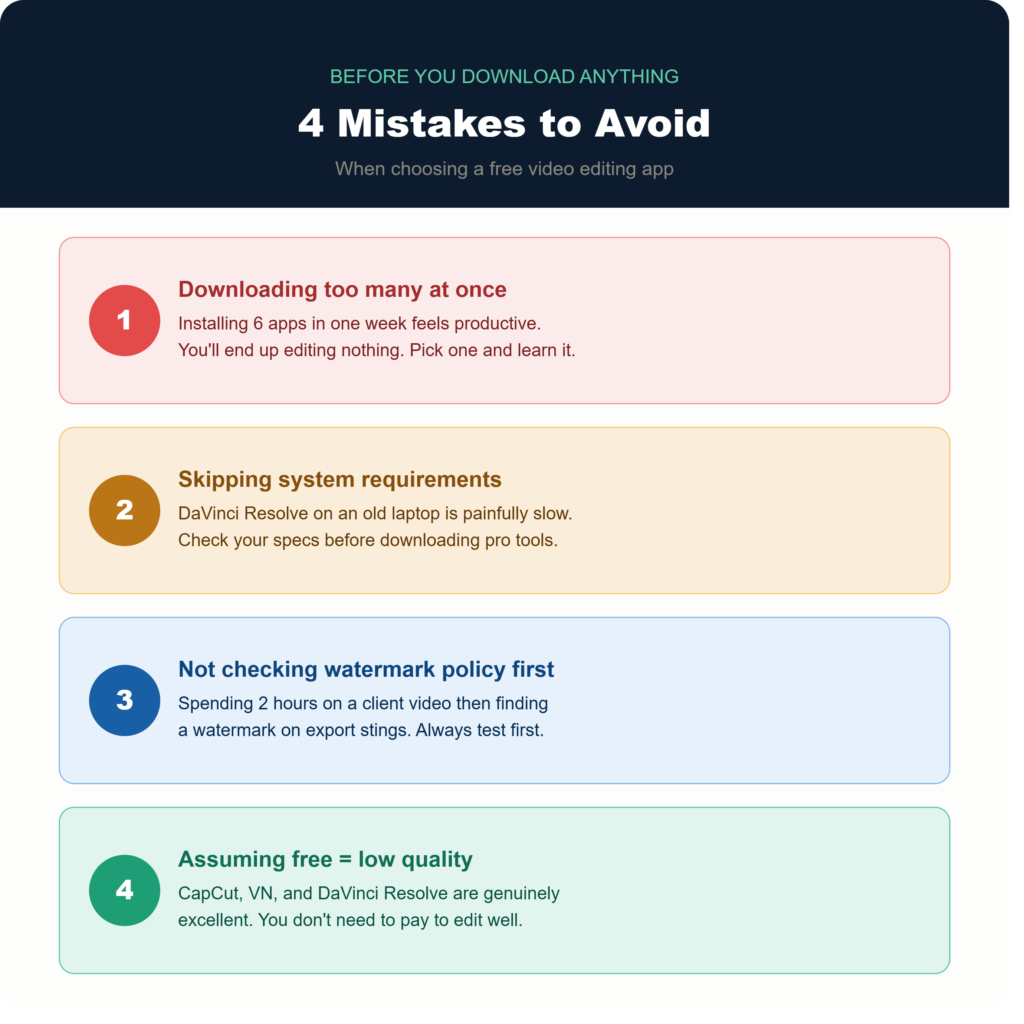
Downloading too many at once. I installed six different apps in one week trying to find “the best one.” I ended up editing nothing for three days. Pick one, learn it properly, then switch if it genuinely doesn’t work for your needs.
Ignoring system requirements. DaVinci Resolve on an underpowered laptop is a painful experience. Check requirements before downloading professional tools.
Not checking watermark policies before editing a full video. I once spent two hours editing a client video in an app I didn’t realise had a watermark on export. Always test the export first.
Assuming “free” means limited. CapCut, VN, and DaVinci Resolve are genuinely excellent tools. The assumption that you need to pay for quality will lead you to ignore some of the best software available right now.
Which One Should You Pick?
Here’s the honest short version:
You’re brand new to editing and want the fastest results → Start with CapCut. It’s the best free video editing app for most people in 2026.
You’re on a Mac or iPhone and want something that just works → iMovie is already on your device. Use it.
You want to get serious about editing and don’t mind learning → DaVinci Resolve. Invest the time. It’s worth it.
You want a stepping stone between beginner and pro → VN Video Editor. Underrated, genuinely excellent.
You’re a YouTuber who wants cinematic effects → HitFilm Free.
You need something edited and posted in the next 20 minutes from your phone → InShot (or CapCut if the watermark on InShot bothers you).
The honest truth? Most creators don’t need to spend any money on video editing software in 2026. The tools above cover everything from quick social clips to cinematic short films — and none of them cost a thing to get started. Pick the one that matches where you are right now, not where you hope to be in two years. You can always switch later once you actually know what you need.
Here is also another secret app, if you want to download, then click below:
Have a free video editing app you swear by that didn’t make this list? Drop it in the comments — I’m always looking for tools worth testing.
For more information, visit: APKSITE1