

Three months ago I had all three apps open on my phone at the same time — ChatGPT, Claude, and Gemini — and I genuinely couldn’t tell you which one I’d reach for first. So I made a rule for myself: every task I needed AI help with for the next 90 days, I’d run through all three and actually pay attention to which one got it right, which one wasted my time, and which one I quietly stopped using.
This isn’t a spec-sheet comparison pulled from a press release. It’s what happened when I used ChatGPT vs Claude vs Gemini for real work — emails, code, blog drafts, research, even planning a trip — and where each one embarrassed itself.
Why I Even Started Comparing Them
I run a small blog and side projects, so I’m writing, researching, and occasionally debugging code every single day. For a while I just used ChatGPT because it was the first one I signed up for, back when everyone was talking about it. Then a developer friend told me Claude was “way better for actual writing,” and I kept seeing Gemini pop up built right into Google Docs and Gmail, so I figured I should stop guessing and just test them properly.
What I didn’t expect was how different their personalities are. Not just capability — personality. That’s the part nobody really tells you.

Round 1: Everyday Writing (Emails, Blog Drafts, Social Posts)
This is where I spend most of my time, so it mattered most to me.
Claude consistently produced the most natural-sounding drafts. When I asked it to write a follow-up email to a client who’d gone quiet, it didn’t sound like a template — it sounded like something I’d actually send. ChatGPT’s version was fine but had that slightly stiff, “as an AI language model” cadence even when I told it not to. Gemini’s draft was the shortest and, honestly, a little generic — it read like it was optimizing for speed over quality.
For long-form blog writing, Claude held context better across a long conversation. I’d go back and forth refining a paragraph 10-15 times, and it remembered the tone we’d settled on three messages ago. ChatGPT sometimes drifted back to its default voice after a few edits, and I’d have to remind it.
Winner for writing: Claude, with ChatGPT a close second if you’re willing to keep steering it.
Round 2: Coding Help
I’m not a professional developer, but I build small tools and mess with WordPress/Blogger customizations, so I lean on AI for debugging constantly.
Here’s where it got interesting. ChatGPT (especially when I had access to its more advanced reasoning mode) was fastest at spotting syntax errors and explaining them in plain English. Gemini surprised me here too — because it’s tied into Google, it was genuinely useful when I needed it to reference something from a Google Sheet I was pulling data into a script from.
Claude, though, gave me the cleanest actual code. Fewer weird workarounds, better comments, and it explained why a fix worked instead of just handing me a block of code and moving on.
I made a mistake early on trusting ChatGPT’s code without testing it locally first — it confidently gave me a script with a small logic error that took me 20 minutes to catch because the explanation sounded so certain. Lesson learned: no matter which of the three you use, test the code before you trust it.
Round 3: Research and Fact-Checking
This is genuinely where I got burned once. I asked all three about a fairly recent event, and only one gave me an answer that was actually current — the other two either hedged or gave outdated info without flagging it clearly.
Gemini has a real advantage here because of its Google Search integration. When I needed something time-sensitive — like checking a product release date or a recent policy change — Gemini pulled it up more reliably. ChatGPT and Claude are stronger when they have web search turned on, but you have to remember to actually enable it, which I forgot to do more than once and got a confidently wrong answer as a result.
Practical tip: if what you’re asking about happened in the last few weeks, don’t just trust the first answer from any of these — check that web search or browsing is actually switched on before you rely on it.
Round 4: Personality and “Feel”
This sounds soft, but it genuinely affects whether you keep using a tool.
ChatGPT feels the most like a Swiss Army knife — it does a lot of things reasonably well and has the most plugins, custom GPTs, and integrations if you like tinkering. Claude feels the most like working with a thoughtful colleague — slower to jump to conclusions, better at admitting uncertainty. Gemini feels the most “utility” — plugged into your existing Google life, less flashy, but convenient if you already live in Gmail, Docs, and Sheets.
Where Each One Actually Wins
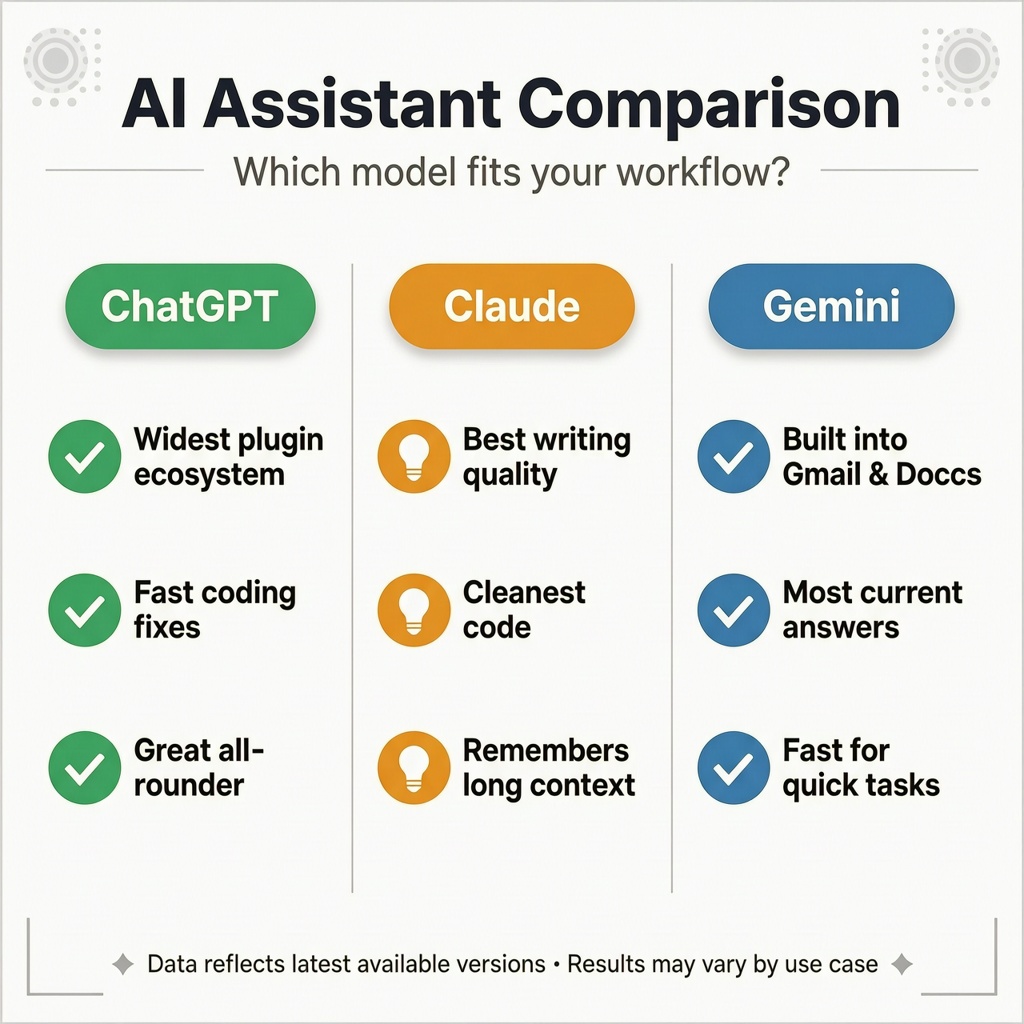
- Choose ChatGPT if: you want the widest ecosystem of plugins and custom tools, or you’re doing a bit of everything and want one app that covers most bases.
- Choose Claude if: writing quality and coding cleanliness matter most to you, or you’re having long back-and-forth conversations that need the AI to remember context.
- Choose Gemini if: you already live inside Google Workspace and want AI that’s baked into Gmail, Docs, and Sheets, or you need answers that reflect very recent information.
Common Mistakes People Make Comparing These Tools
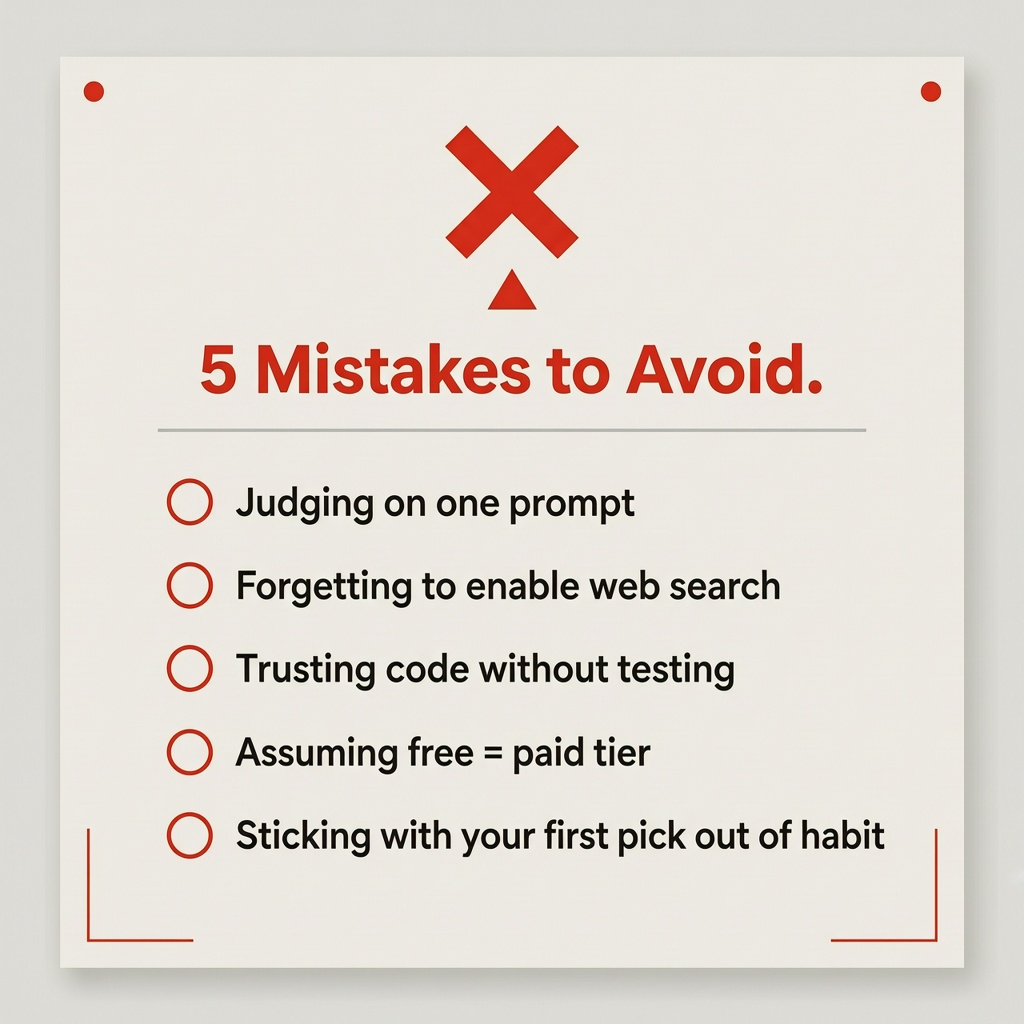
- Judging on one prompt. A single test question tells you almost nothing. I only started noticing real differences after using each one daily for at least two weeks.
- Forgetting to enable web search. All three can give you outdated answers if browsing isn’t switched on — don’t blame the model for something that’s actually a settings issue.
- Not testing code before trusting it. Every one of these tools can sound completely confident while being wrong. Always run it yourself.
- Assuming free and paid tiers behave the same. The free version of each tool is noticeably more limited than the paid plans, especially for longer conversations and coding tasks.
- Sticking with the first one you tried out of habit. This was basically me for a year. Switching cost me nothing and taught me more than any comparison article could have.
So Which One Should You Actually Use?
Honestly? I didn’t end up picking just one, and I don’t think most people should either. I use Claude for anything I’m writing or publishing, ChatGPT when I want to explore an idea quickly or need a plugin for something specific, and Gemini when I’m already sitting inside Gmail or Docs and just need a quick assist without switching apps.
If I had to recommend a starting point for someone who’s never used any of them: start with the one built into an app you already use daily. If that’s Gmail, try Gemini. If you want the biggest toolbox, start with ChatGPT. If writing quality is your main goal, Claude is worth the switch.
Try running the same real task through two of them this week — not a toy question, an actual thing you need done — and pay attention to which draft you’d actually send without editing. That’s a better test than any comparison chart, including this one.
Frequently Asked Questions
Is Claude better than ChatGPT for writing?
In my experience, yes — Claude held tone and context better across longer editing sessions, and its drafts needed fewer rewrites to sound natural.
Which AI is best for coding, ChatGPT, Claude, or Gemini?
Claude produced the cleanest, best-explained code in my testing, though ChatGPT was faster at spotting quick syntax errors and Gemini was handy when work involved Google Sheets or Docs directly.
Does Gemini give more up-to-date answers than ChatGPT or Claude?
Because of its direct Google Search integration, Gemini was more consistently current on recent events in my tests — though enabling web search on ChatGPT and Claude closed most of that gap.
Can I use ChatGPT, Claude, and Gemini for free?
Yes, all three offer free tiers, but the free versions have shorter memory, fewer daily messages, and weaker performance on longer or more complex tasks compared to their paid plans.
Do I have to pick just one AI assistant?
No — plenty of people, myself included, use more than one depending on the task. There’s no rule that says you have to commit to a single tool.
For more information, visit: APKSITE1